
Help abroad, one tap away.
Travel SOS is the safety tab inside every Layag trip. It shows the police, ambulance and fire numbers for each country on your itinerary and the nearest embassy or consulate for your passport, keeps them on your phone so they work offline, and lets you share your live location with family for 15 minutes, 1 hour or 8 hours.
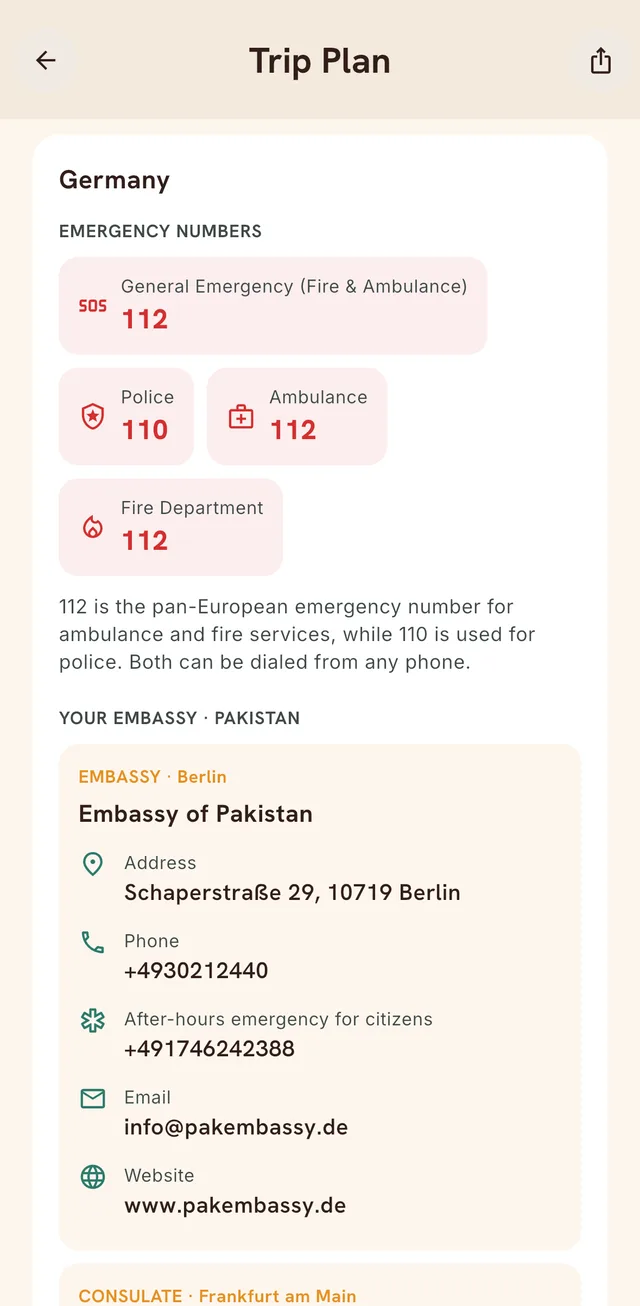
Emergency numbers for every country on your trip
Open any trip and tap Help & Support. For each country you're visiting, Layag lists the general emergency number plus separate police, ambulance and fire numbers. Tap a number to dial it.
Where a country has quirks, Layag notes them. In Germany, for example, 112 covers fire and ambulance while 110 is the police, and both can be dialed from any phone.
Your embassy, matched to your passport
Your embassy is the one belonging to the country that issued your passport, not the country you live in. Set your passport once and Layag shows the nearest embassy or consulate in each country on your trip, with:
- the address
- the main phone number
- the after-hours emergency line for citizens
- the email address and website
Two travelers on the same trip with different passports see different embassies.
Share your live location with family
Two ways to let someone know where you are:
- Send current location: a map pin in one tap, to WhatsApp, Messages or any other app.
- Share live location: a private link that follows you on a map for 15 minutes, 1 hour or 8 hours. The person you send it to opens it in any browser. They don't need the app.
The link stops working the moment the time runs out or you stop sharing. You can't extend a share by accident, nobody can browse or search for shares, and ended shares are deleted automatically.
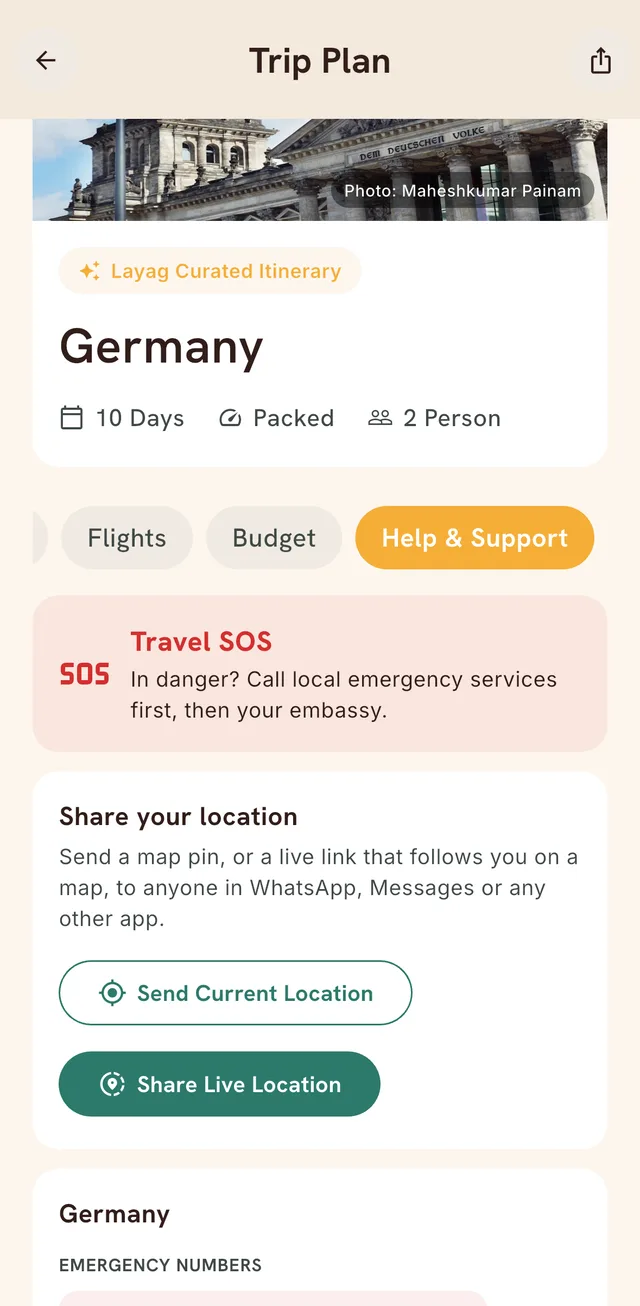
Works offline
Emergencies tend to happen without Wi-Fi. Once a trip's emergency contacts have loaded, Layag saves them on your phone, so the numbers and embassy details are still there in airplane mode or with roaming switched off. Dialing still needs a mobile signal, and live location needs data.
On your home screen (Android)
On Android, add the Layag SOS widget to your home screen to reach your emergency numbers without opening the app. An iOS widget is planned.
Where the information comes from
Emergency numbers and embassy details are compiled with AI for each country and passport, then cached and reused, so everyone traveling to the same place sees the same, consistent list. Treat it as a fast starting point: double-check embassy details on your government's official website before you travel, and in an emergency, call the local emergency number first.
Questions
Does Travel SOS work without mobile data?
Yes, for reading. Once a trip's emergency contacts have loaded, they're saved on your phone and show without a connection. Calling a number needs a mobile signal, and sharing your live location needs data.
Who can see my live location?
Only people you send the link to, and only while the share is active. Shares last 15 minutes, 1 hour or 8 hours, can be stopped at any time, can't be extended, and are deleted after they end.
Which countries does Travel SOS cover?
Any country you add to a trip. Layag looks up the emergency numbers for that country and the embassy or consulate for your passport, and saves them for the trip.
Be first through the door.
Join the waitlist. The first 1,000 travelers get 500 free credits to try the whole app — and every friend you bring in helps us open the doors sooner.
No spam, no card. Just a note when your spot opens.